

If you would like to add a link to your entry, you must first be in the New Diary Entry or Edit Diary Entry screen.
When you are editing your entry, select the text that you want to place a link on and then click the Insert/edit link button in the toolbar:
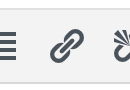
when you click the button, a text box will open that says "Paste URL or type to search":

In this box, you can type or paste the URL address of the page you want to link to. For example, if you want to link to Wikipedia, you would enter www.wikipedia.org in the box. When you are done typing or pasting the address, press the Enter or Return key and your link will be accepted:

If you decide you want to change the link, you can click the Pencil icon next to the link, and you will go back to the box where you can type or paste the URL.
If you want to remove the link, click the Break Link icon to the right of the pencil - this will leave your text, but remove the link to another URL.
Comments
0 comments
Article is closed for comments.