

If you would like to change the font used by text in your entry, you must first be in the New Diary Entry or Edit Diary Entry screen.
When you are editing your entry, first select the text that you want to change the font on.
Make sure you have clicked the Toolbar Toggle, which is the last button on the right in the top row of the editing toolbar:

With the Toolbar Toggle entry clicked, there is a second row of buttons displayed on the editing toolbar. On the second row, you will see a Font dropdown - "Georgia" will be selected as the default font:
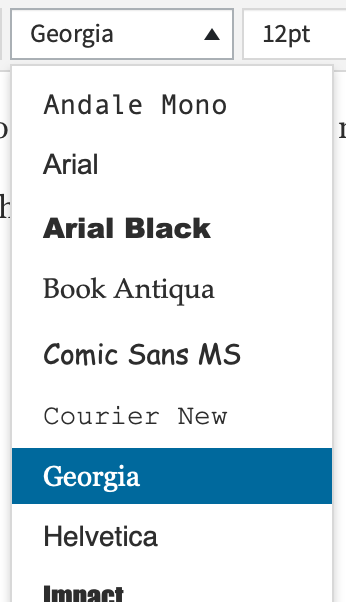
Click the font dropdown, and then click the name of the font you want your text to use. The selected text will be changed to that font.
Comments
0 comments
Article is closed for comments.