

Diary Circles are collections of entries where people can post about topics they are interested in.
To add your entry to a diary circle, you must first be editing the entry. You also must already be a member of that Circle - only Circles that you belong to will allow you to add entries to them.
On the Entry Edit screen, go to the bottom and click the Options dropdown:

Once the options are expanded, click the Circle dropdown:
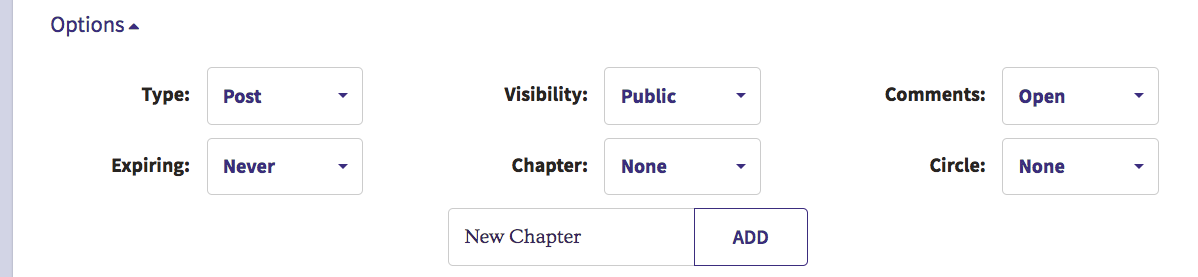
From the Circle dropdown, you can select any Circle that you are already a member of:
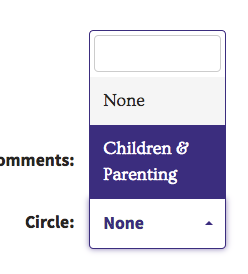
Note that the Diary Circle for the entry will not be changed until you click the Publish or Save button to save the entry.
Comments
0 comments
Article is closed for comments.