

When somebody is your Friend on Open Diary, that means that you can share friends-only entries and other friends only content with them.
On Open Diary, if someone sends you a friend request, you will not become friends until you accept that request. If you do not want to be friends with that person, you can reject the friend request.
To reject a friend request, first click on your picture in the upper right of the page to open the main site menu.
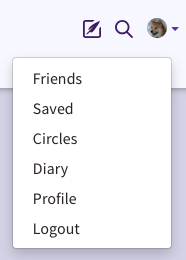
On the menu, click on Profile, and then click on Friend Requests in the horizontal menu under your name.
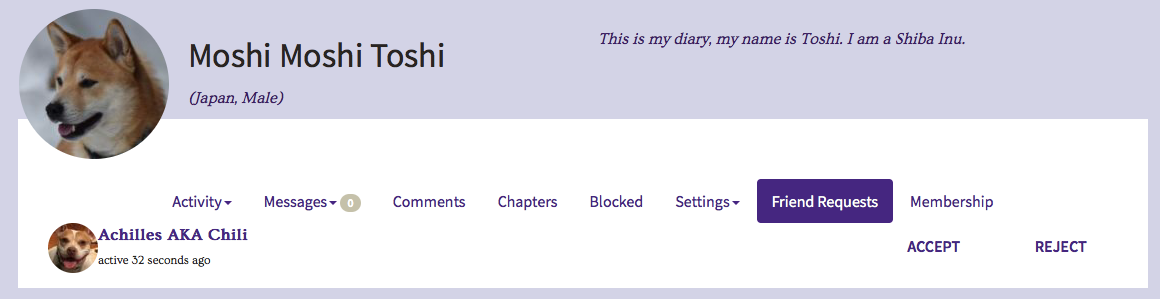
On this page, you will see any pending friend requests from other members. You have the choice to click either Accept or Reject.
If you click Accept, the friend request will be accepted and you and that person will be Friends until one of you cancels the friendship.
If you click Reject, the friendship request will be canceled, and you will not be Friends with that person.
Comments
0 comments
Article is closed for comments.