

To see a list of your Friends' latest entries and links to their diaries, start by clicking your image in the upper right of the page to open the main site menu.
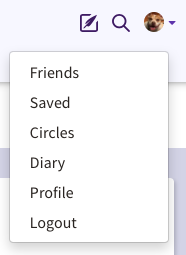
On the menu click the option for Friends.
On this screen, you will see a list of your Friends names with links to their diaries, a timestamp for the last time they were active on the site, and a link to their latest entry. You will also see a link to remove that Friend.

To go to your Friend's latest entry, click the Latest Entry link.
Comments
0 comments
Article is closed for comments.