

When somebody is your Friend on Open Diary, that means that you can share friends-only entries and other friends-only content with them.
On Open Diary, you add a friend by sending a request, and then that person has to agree to it to become your Friend. To send a friend request to somebody, look for the plus sign icon next to their name on any entry.
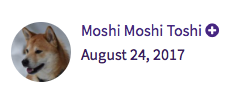
When you click the plus sign icon, a private friend request will be sent to that person. If the other person accepts your friend request, you will become Friends and can then share friends-only content.
When the other person accepts your friend request, you will receive an email notification that they have accepted.
Comments
0 comments
Please sign in to leave a comment.