

Your diary profile is the place where you change any of the settings that have to do with how your diary and account work and appear to other members.
In your profile, there are several sections which allow you to:
- See activity feeds for you and your friends
- Private message with other members
- Manage chapters in your diary
- Manage members blocked from your diary
- Change your diary settings
- Manage friend requests
- Manage your Open Diary membership
To get to your Profile, start by clicking the site main menu in the upper right of any screen:
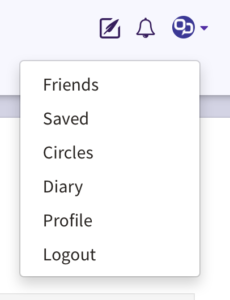
From the main menu, click on “Profile”. This will take you to your Diary Profile.

On the profile screen, there is a horizontal menu that includes the following options:
- Activity
- Messages
- Chapters
- Blocked
- Settings
- Friend Requests
- Membership
Click on any of the horizontal menu items to go to that section.
Comments
0 comments
Article is closed for comments.