

To change your diary privacy, first click on the gear icon in the upper right of any Open Diary screen:

Once you are at your Profile, click on the Settings dropdown:

On the dropdown, click on Diary. This will take you to a screen where the first option is Diary Privacy:
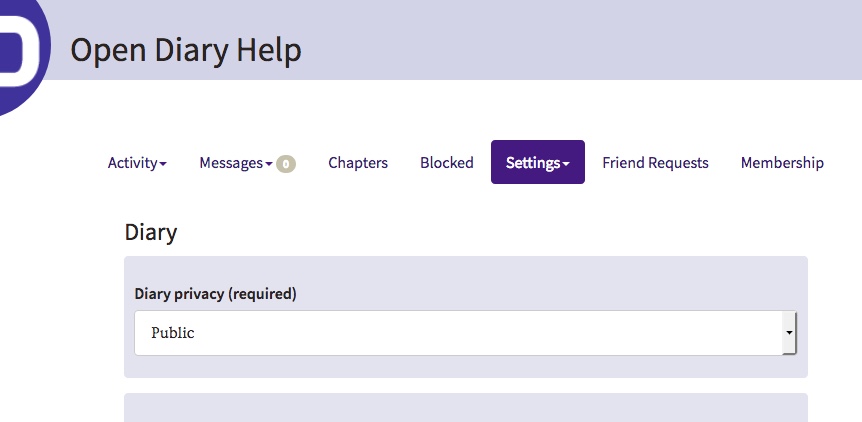
There are four options for diary privacy:
- Public – your diary will be visible to anybody who comes to Open Diary, including people who are not members
- Members Only – your diary will be visible only to other members of Open Diary, and only if they are logged in
- Friends Only – your diary will be visible only to your Friends on Open Diary
- Private – your diary will only be visible to you
Note that the privacy of an entry can override diary privacy, if it is a more secure setting. This means that your diary can be Members Only, but if you have a Friends Only entry in your diary, only your Friends will see it.
This does not work in the other direction – meaning, if you have a Friends Only diary and post an entry as Public, the entry still will NOT be visible to the public, it will only be visible to your Friends.
Select the privacy level that you want for your diary and scroll down to the bottom of the page. Click on the Save Changes button to update the privacy level of your diary.
Comments
0 comments
Article is closed for comments.